Why drawing your own fighter feels different
Most games let you pick a preset hero. PicWar goes after a more specific fantasy: you make the fighter yourself, even if your drawing is rough or weird.
Gameplay guide
The PicWar loop starts with your sketch and ends with your own AI fighter entering the arena.
Jetzt erschaffen
Wähle dein Gerät und öffne den offiziellen Store.
A drawing-first game loop
Works with simple doodles
From sketch to battle-ready character
PicWarBeginnt mit deiner Idee
So funktioniert es
The PicWar loop starts with your sketch and ends with your own AI fighter entering the arena.
Most games let you pick a preset hero. PicWar goes after a more specific fantasy: you make the fighter yourself, even if your drawing is rough or weird.
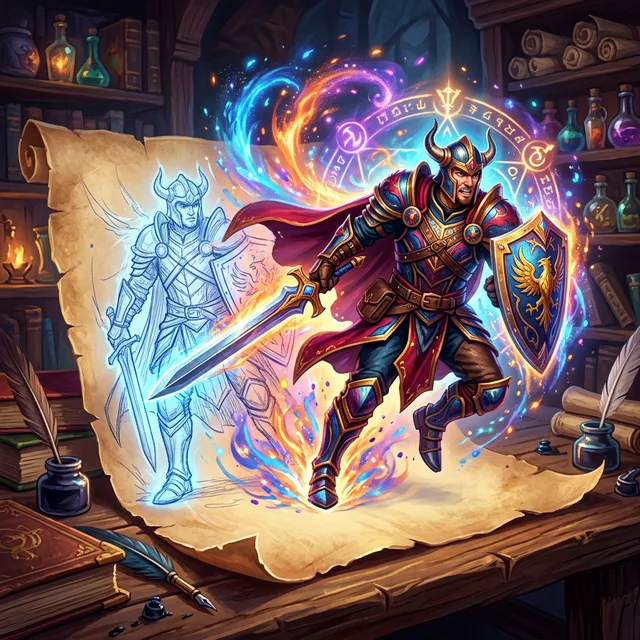
After you draw or upload an image, the system analyzes the shape and style, then creates a character identity, battle traits, and a role inside the arena.
Custom ownership makes every battle feel personal. The more a player recognizes their own sketch in the fighter, the stronger the payoff when that fighter wins or evolves.
Geschichten aus dem Spiel
Diese öffentlichen Geschichten bewahren beide Figuren, den vollständigen Kampf und sein Ergebnis.
Der Staub der verlassenen Katakomben lag schwer auf den zerbrochenen Mosaiken, als Wonder Woman durch den dunklen Tunnel schritt, ihre Stiefel im Takt ihrer eigenen, unerschütterlichen Entschlossenheit. Sie hatte den…
Geschichte lesenDer Himmel über dem antiken Kampfareal verdunkelte sich unter einem Schleier aus schmutzigem Nebel und dunkler Magie. Die Luft vibrierte vor Spannung, als die Rituale der Auserwählten – jener unsichtbaren Mächte, die…
Geschichte lesenHäufige Fragen
The PicWar loop starts with your sketch and ends with your own AI fighter entering the arena.
After you draw or upload an image, the system analyzes the shape and style, then creates a character identity, battle traits, and a role inside the arena.
PicWar
Download PicWar to test the full sketch-to-character loop on iPhone or Android.